Vetted by NeuralPress's Multi-Agent Verifier for strict factual validity and event relevance. Our compliance engine cross-checks and filters search results to ensure zero false correlations or misleading content.
CarPlay Feature Dependencies
Factors required for enabling video playback in vehicles
Primary Sources
Apple CarPlay Not Working After iOS 26 Update? Here's How to Fix It
Your CarPlay dashboard just went dark after updating to iOS 26, and now you’re staring at a blank screen while your car’s head unit pretends your iPhone doesn’t exist. Frustrating, right? The good news: most of these failures have specific, fixable causes. This guide walks you through every layer — software, hardware, and wireless — so you can get back on the road with a working setup. Why iOS 26 Is Breaking CarPlay in the First Place The iOS 26 update isn’t just a visual refresh. It introduced the “Liquid Glass” design language — a real-time translucent UI that demands significantly more processing power from both your iPhone and your car’s head unit. Older infotainment systems weren’t built to handle that kind of rendering load. On top of that, the update quietly reshuffled system-level permissions. Many users discovered that CarPlay simply vanished from their Settings menu overnight — no warning, no explanation. The culprit is almost always a permission that got flipped during the install. The bottom line: iOS 26 didn’t just add features. It changed how CarPlay handshakes with your vehicle, and a lot of cars haven’t caught up yet. Check These Settings Before You Do Anything Else Before you restart your car or your phone, check these four settings. Any one of them can silently kill CarPlay. Setting Where to Find It What Happens If It’s Off Screen Time → CarPlay Settings > Screen Time > Content & Privacy > Allowed Apps CarPlay disappears from General Settings entirely Siri (Hey Siri + Siri When Locked) Settings > Siri & Search Phone refuses to handshake with your car Allow CarPlay While Locked Settings > Face ID & Passcode Wireless connects but the dash stays blank Set Automatically (Date & Time) Settings > General > Date & Time Security certificate failure blocks wireless connection The Screen Time restriction is the sneakiest one. iOS 26 has been documented toggling CarPlay off inside Content & Privacy Restrictions during the update process. Go check it right now — even if you’ve never touched Screen Time settings before. Siri is equally critical. According to Apple’s CarPlay setup requirements, iOS 26 requires Siri to be fully active before CarPlay can initiate a connection. If “Listen for Hey Siri” or “Allow Siri When Locked” is off, your car’s system won’t complete the handshake. The Wireless CarPlay Fix Most People Miss Wireless CarPlay runs on two channels simultaneously: Bluetooth for the initial pairing and a 5GHz Wi-Fi link for the actual ...
iOS 26.5 Guide: New Features & The Perfect Bridge to iOS 27 - Geeky Gadgets
Apple’s iOS 26.5 is shaping up to be a significant update in the evolution of its mobile operating system. With a strong emphasis on stability, performance, and user-focused enhancements, this release builds upon the solid foundation of iOS 26.4.2. It addresses persistent issues while introducing features designed to improve your overall experience. Whether you’re a casual user or an active beta tester, this update offers a range of improvements worth exploring. The video below from Zollotech gives us more details on what to expect from iOS 26.5 Key Updates in iOS 26.4.2 and iOS 26.5 Beta 4 The recently released iOS 26.4.2 has been widely praised for its stability, particularly on newer devices, delivering noticeable improvements in battery life and performance. Meanwhile, iOS 26.5 beta 4 introduces a variety of new features and refinements aimed at enhancing functionality and usability. These include: End-to-end encryption for RCS messaging significantly improves communication security. Automatic pairing for Magic accessories via USB-C simplifies the connectivity process. Expanded keyboard language support fosters a more inclusive user experience. Notification forwarding for third-party devices, making sure compliance with EU regulations. Updates to Apple Books, introducing achievements and awards to engage readers. Despite these advancements, some issues remain unresolved. Users have reported occasional home screen stuttering, brightness fluctuations, and inconsistencies in wallpaper vibrancy, indicating areas that still require attention. Performance Enhancements and Bug Fixes Apple continues to address long-standing issues with iOS 26.5. This update focuses on improving performance and resolving bugs that have affected user experience in previous versions. Key improvements include: Smoother browsing in Safari enhances the overall web experience. Enhanced CarPlay functionality, providing a more seamless in-car integration. Improved RAM management, reducing app crashes and allowing better multitasking. Firmware updates for AirPods Pro 3, boosting connectivity and reliability. However, some macOS users have reported intermittent connectivity issues, suggesting that further refinements may still be necessary to ensure consistency across Apple’s ecosystem. User Feedback: A Mixed Bag The response to iOS 26.4.2 and beta 4 has been largely positive, with many users noting improvements in battery life, smoother animations and enhanced overall performance, ...
How To Connect Iphone To Car : Using Apple CarPlay Feature
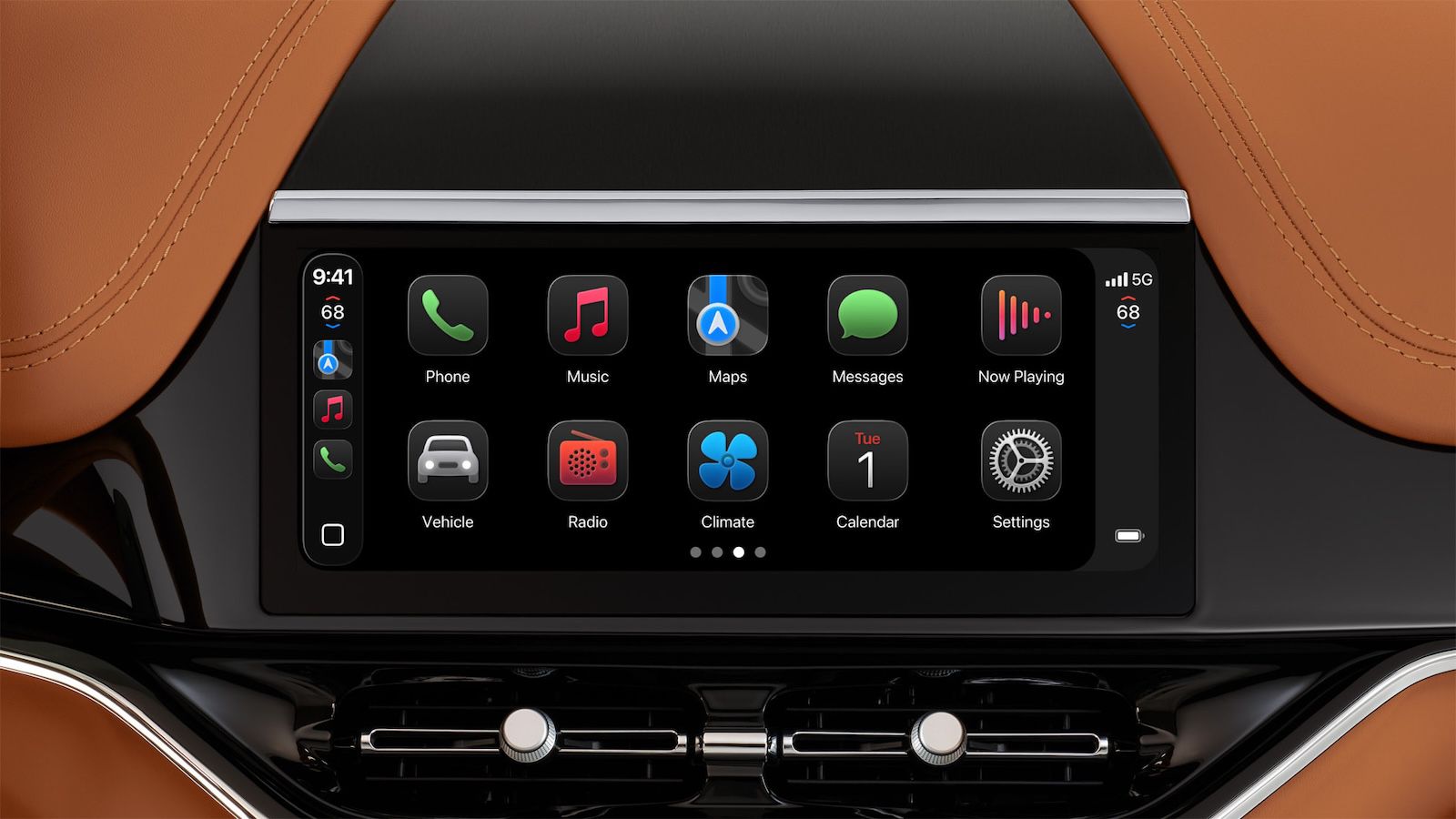
Apple CarPlay provides the most seamless integration, mirroring a simplified version of your iPhone's interface onto your car's touchscreen. It gives you safe access to maps, messages, music, and more with Siri or touch controls.
Apple CarPlay Not Working? 11 Easy Fixes That Actually Work
Apple CarPlay not working? Learn the most common reasons it fails and discover simple, proven fixes to get CarPlay working again fast.